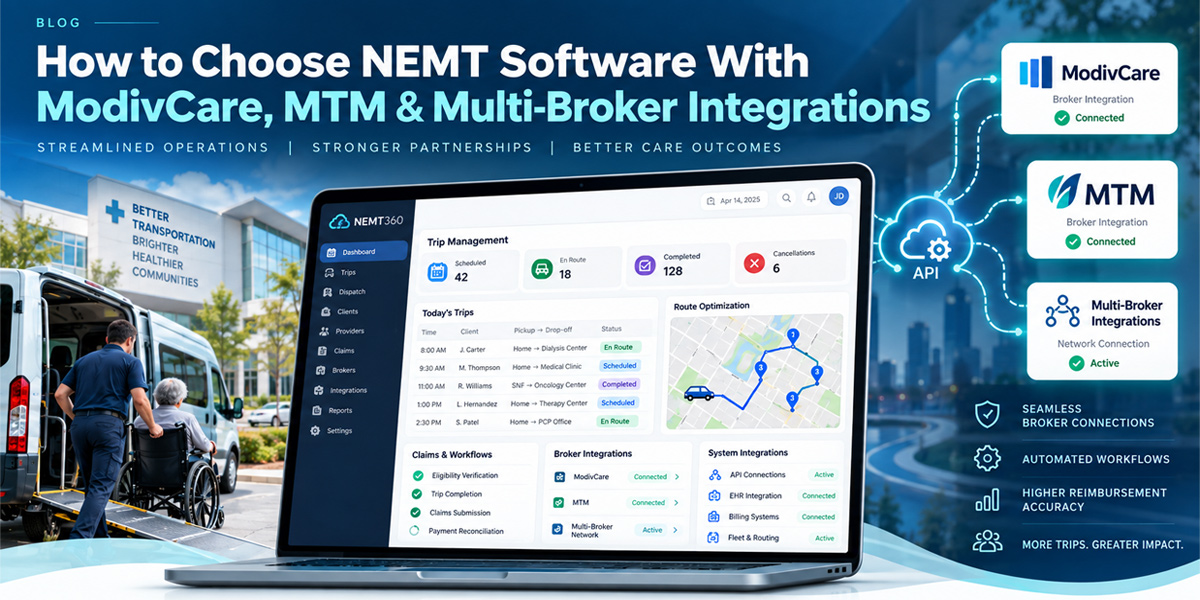
Broker contracts drive most of your trip volume today. Learning how to choose NEMT software the right way protects that revenue.
How to choose NEMT software comes down to one core question: does it connect directly to ModivCare, MTM, and your other brokers? A platform without native broker integration forces manual data entry, delays trip assignments, and increases claim rejections. This guide walks through exactly what to check before you sign.
You will learn which features matter most, what each major broker actually requires, and how to compare platforms without getting lost in sales pitches.
Why Broker Integration Should Drive How to Choose NEMT Software
Brokers now manage roughly 70% of all Medicaid transportation trips nationwide, according to EliteMed Financials’ broker billing guide. That number keeps climbing every year.
This means your business depends heavily on how well your NEMT software talks to these companies. A platform that cannot sync directly with brokers creates a painful daily workflow.
Picture this common scenario, drawn from real operator experience:
- ModivCare assigns trips overnight through its own portal.
- MTM sends a separate spreadsheet by email each morning.
- Your dispatcher logs into three different systems before 7 a.m., copying details by hand.
This manual process causes real damage. NEMT services without broker integration face error rates around 15%, plus payment delays lasting 30 to 60 days.
What ModivCare and MTM Actually Require From Your Platform
ModivCare and MTM are not identical, even though people often lump them together. Each broker has its own technical expectations for your NEMT dispatching software.
Understanding these differences before you buy saves you months of frustration later.
ModivCare Integration Essentials
ModivCare, formerly known as LogistiCare, is the largest NEMT broker in the United States. The company operates in over 20 states and processes millions of trips annually through its WellRyde platform.
ModivCare places heavy emphasis on electronic verification. Every trip must generate specific data points before payment gets approved:
- GPS coordinates confirming actual pickup and drop-off locations.
- Accurate timestamps matching the trip’s real duration.
- Electronic signatures proving the ride was completed as billed.
Your software needs to capture all three automatically, without requiring driver intervention.
MTM Integration Essentials
MTM, or Medical Transportation Management, operates in 35-plus states with a strong Midwest presence. MTM also owns Veyo and Access2Care, which means these three brokers share some compliance data.
MTM has unique requirements around dispatch confirmation timing that differ from ModivCare’s process. Your NEMT scheduling software should adapt to broker-specific timing rules automatically, rather than forcing your dispatcher to track each broker’s deadlines manually.
Core Modules to Compare: Dispatching, Scheduling, Driver Management
Broker integration only solves half your operational puzzle. The software itself needs strong core modules working underneath that connection.
Here is what separates a genuinely useful platform from a basic one.
NEMT Dispatching Software and NEMT Scheduling Software
Strong NEMT dispatching software should place trips from every broker into one unified queue. Your dispatcher should never need to switch screens based on which broker sent the trip.
Good NEMT scheduling software goes further by recognizing recurring patterns automatically. Dialysis trips, behavioral health sessions, and treatment series typically repeat on a fixed schedule, and your system should generate these without manual re-entry each week.
NEMT Driver Management Software and Credential Tracking
NEMT driver management software matters more than most providers realize during broker audits. Brokers increasingly judge providers on real-time credential accuracy, not just service quality.
Look for automated controls that block trip assignment when a driver’s credentials lapse. This single feature prevents compliance violations before they happen, protecting your broker relationships long-term.
Multi-Broker Management: Running ModivCare, MTM, and More Together
Most growing providers work with more than one broker at once. Managing ModivCare, MTM, Kaiser, and regional brokers separately creates unnecessary chaos for your team.
A platform built for multi-broker management should offer these capabilities:
| Feature | Why It Matters |
| Centralized dashboard | View all broker trips in a single screen |
| Broker-specific billing formats | Avoid manual reformatting for each payer |
| Configurable settings per broker | Handle MTM’s timing rules separately from ModivCare’s |
| Unified performance analytics | Compare broker profitability at a glance |
Access2Care focuses heavily on rural and underserved markets, requiring flexible technology that adapts to varying infrastructure. Alivi specializes in Florida Medicaid managed care specifically. Your platform should support these regional players just as smoothly as the national brokers.
Ready to Simplify Your Broker Connections?
You should not need three separate logins just to start your day. NEMT BOT connects your dispatch console directly to ModivCare, MTM, and your other broker contracts. Trips flow automatically into one queue, without copy-pasting between portals. Your team gets hours back every single week.
See NEMT BOT’s Broker Integrations →
NEMT Trip Management Software and NEMT Automation Software Working Together
Trip management and automation work as a pair, not as separate purchases. NEMT trip management software tracks each ride from booking through completion, while NEMT automation software removes the repetitive manual steps around it.
Together, these systems should handle:
- Automated status updates pushed back to each broker in real time.
- Exception flagging when a trip runs late or gets cancelled.
- Documentation matching that connects GPS proof to the correct billing record.
Brokers care most about accurate times, status history, and trip completion proof. Software that automates this data capture directly protects your reimbursement.
How to Choose NEMT Software Step-by-Step Checklist
Use this checklist during every vendor demo. Do not accept vague answers to any of these questions.
| Step | What to Confirm |
| 1. Broker list | Does the platform integrate directly with your specific brokers? |
| 2. Integration type | Is it a real API connection, or manual file uploads? |
| 3. Setup timeline | How long until your first broker connection goes live? |
| 4. Hidden fees | Are broker integrations included, or charged separately? |
| 5. Credential automation | Does the system block assignments for expired credentials? |
| 6. Multi-broker support | Can you manage all your brokers from one dashboard? |
Existing broker integrations typically take one to two weeks to configure during onboarding. Custom integrations for less common brokers can take 30 to 60 days, depending on that broker’s certification process.
Comparing Platforms Before You Commit?
Choosing between NEMT software vendors gets confusing fast, especially with broker requirements changing yearly. NEMT BOT was built specifically around ModivCare, MTM, and multi-broker workflows from day one. Our team handles onboarding and broker certification, so you are not troubleshooting API errors alone. You focus on running trips while we handle the data plumbing.
Talk to Our Integration Team →
Frequently Asked Questions
How do I know if NEMT software actually integrates with ModivCare?
Ask the vendor directly whether they maintain a live API connection with ModivCare, not just a manual export tool. A genuine integration should support automated trip imports, real-time status updates, and billing generated in ModivCare’s required format. If the vendor cannot answer this clearly during a demo, treat that as a warning sign about their actual capabilities.
Can one platform manage both ModivCare and MTM trips at the same time?
Yes, most modern platforms support this through a centralized dispatch queue. Your dispatcher should see ModivCare and MTM trips together, with broker-specific notes attached to each one. This setup eliminates the need to log into separate portals throughout the day, which saves significant time for busy operations.
What happens if my NEMT software does not support direct broker integration?
You will likely face manual data entry errors, delayed trip assignments, and claim rejections that push payment out 30 to 60 days. These problems compound as your trip volume grows, making it harder to scale your business. Choosing software without broker integration essentially caps how large your operation can safely become.
Does adding more brokers to my software cost extra money?
This depends entirely on the vendor’s pricing structure, so always ask before signing. Some platforms include all standard broker integrations at every pricing tier, while others charge separate setup or per-broker fees. Getting this answer in writing before you commit prevents surprise charges once you are already using the system.
Conclusion
This guide covered exactly how to choose NEMT software built for real broker relationships, not just basic dispatching. You now understand what ModivCare and MTM require, how strong NEMT billing software and NEMT automation software work together, and what questions to ask before signing any contract.
NEMT BOT combines dispatching, scheduling, driver management, and direct broker connections in one platform built for growing providers. Managing ModivCare, MTM, and regional brokers should never require three separate logins. Contact our team today to see how our broker integrations fit your current contracts and book your free demo.
Comments are closed